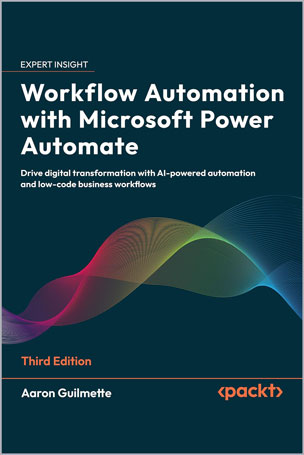
Build intelligent automations with AI, RPA, and Microsoft 365 to streamline work and reduce manual tasks
Key Features
- Build flows faster using Copilot, AI Builder, and Gen AI tools
- Learn to create robust cloud and desktop automations through real-world examples
- Implement best practices for security, governance, and monitoring
Book Description
Whether you’re automating a daily task or implementing automation at scale, this third edition gives you everything you need to succeed. This practical guide makes automation accessible, helping you streamline operations using low-code cloud flows, desktop RPA, and AI tools built into Microsoft Power Automate.
You’ll begin by building foundational skills through easy-to-follow tutorials that show how to automate actions across Outlook, Teams, SharePoint, Slack, and more. From there, you’ll level up to integrating approvals, databases, and Forms, handle complex scenarios such as sequential and parallel approvals, and manage shared flows.
The book explores Power Automate’s robotic process automation capabilities, teaching you how to automate legacy applications, web interfaces, and Access databases. With expanded coverage of AI Builder, sentiment analysis, Copilot, and document summarization using generative AI, you’ll gain hands-on experience creating intelligent, responsive workflows that drive efficiency.
Written by a Microsoft 365 expert, this third edition adds 8 new chapters along with guidance on governance, compliance, and enterprise deployment, making it a complete guide for anyone looking to get started or scale automation with Power Automate.
*Email sign-up and proof of purchase required
What you will learn
- Build cloud flows using triggers, connectors, and actions
- Use Copilot and generative AI to create and edit flows
- Automate desktop tasks with Power Automate for Desktop
- Create approval processes for Teams, Slack, and email
- Connect Power Automate to Dataverse, Forms, and SQL
- Implement error handling, monitoring, and troubleshooting
- Govern and scale automations using best practices
Who this book is for
This book is ideal for information workers, citizen developers, and Power users looking to automate workflows across Microsoft 365, Teams, Outlook, and third-party platforms. Basic familiarity with Microsoft 365 is recommended.
Table of Contents
Part 1: The Basics
Chapter 1: Introducing Microsoft Power Automate
Chapter 2: Getting Started with Power Automate
Chapter 3: Working with Email
Chapter 4: Copying Files
Chapter 5: Creating Button Flows
Chapter 6: Generating Push Notifications
Chapter 7: Working with Shared Flows
Part 2: Advanced Operations and Flows
Chapter 8: Working with Conditions
Chapter 9: Understanding Expressions and Functions
Chapter 10: Getting Started with Approvals
Chapter 11: Working with Multiple Approvals
Chapter 12: Posting Approvals to Teams
Chapter 13: Using Databases
Chapter 14: Working with Microsoft Forms
Chapter 15: Posting to Slack
Chapter 16: Accepting User Input
Chapter 17: Automating Entra ID
Part 3: Robotic Process Automation, Al Models, Copilot, and Beyond
Chapter 18: Introducing Robotic Process Automation
Chapter 19: Contributing to an Access Database with RPA
Chapter 20: Automating Web Pages with RPA
Chapter 21: Introducing Al Models and Generative Al
Chapter 22: Creating a Sentiment Analysis Flow
Chapter 23: Using Copilot to Create and Manage Flows
Chapter 24: Using Generative Al to Summarize Documents
Part 4: Administration
Chapter 25: Exporting, Importing, and Distributing Flows
Chapter 26: Monitoring and Troubleshooting Flows
Chapter 27: Governance in the Power Platform
Review
“If you’ve ever felt bogged down by repetitive tasks – copying files, sending emails, managing approvals, or updating databases, this book is for you. What I love is the balance of simplicity and depth. It’s perfect for non-technical users who want to streamline work, yet it doesn’t shy away from advanced scenarios like multi-stage approvals, database integration, RPA, and AI-powered flows. By the time you’re halfway through, you’ll start spotting automation opportunities everywhere. The book doesn’t just teach features; it helps you think like a workflow designer.”
Steve Miles, Microsoft MVP
About the Author
Aaron Guilmette, a Senior Program Manager for Customer Experience (CXP), provides guidance and assistance to customers adopting the Microsoft 365 platform. He primarily focuses on collaborative technologies, including Microsoft SharePoint Online, Microsoft Exchange, and Microsoft Teams. He also works with identity and automation solutions.
He has been involved with technology since 1998 and has provided consulting services for customers in the commercial, educational, and government sectors internationally. Aaron has also worked on technical certification exams and instructional design for Microsoft and other organizations.





نقد و بررسیها
هنوز بررسیای ثبت نشده است.