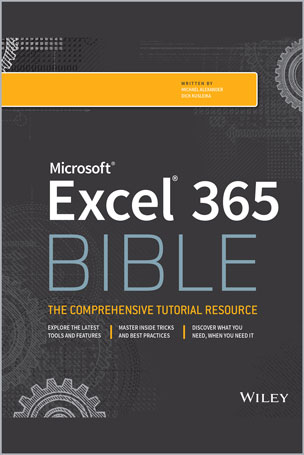
Your personal, hands-on guide to the latest and most useful features in Microsoft Excel 365
Excel 365 is Microsoft’s latest cloud-based version of its world-famous spreadsheet app. Powerful and user-friendly, it’s an ideal solution for businesses and people looking to make sense of―and draw intelligence from―their data.
The Excel 365 Bible carries over the best content from the best-selling Excel 2019 Bible while reflecting how a new generation uses Excel in Excel 365. The authoring team with their decades of Excel and business intelligence experience and recognition from the Excel community as Excel MVPs delivers an accessible and authoritative roadmap to Excel 365. Interested in the basics? You’ll learn to create spreadsheets and workbooks and navigate the user interface. If you’re ready for more advanced topics you can skip right to the material on creating visualizations, crafting custom functions, and using Visual Basic for Applications to script automations.
You’ll also get:
- Over 900 pages of powerful tips, tricks, and strategies to unlock the full potential of Microsoft Excel 365
- Guidance on how to import, manage, and analyze large amounts of data
- Advice on how to craft predictions and “What-If Analyses” based on data you already have
Perfect for anyone new to Excel, as well as experts and advanced users, the Excel 365 Bible is your comprehensive, go-to guide for everything you need to know about the world’s most popular, easy-to-use spreadsheet software.
Table of Contents
Part I: Getting Started with Excel
Chapter 1: Introducing Excel
Chapter 2: Entering and Editing Worksheet Data
Chapter 3: Performing Basic Worksheet Operations
Chapter 4: Working with Excel Ranges and Tables
Chapter 5: Formatting Worksheets
Chapter 6: Understanding Excel Files and Templates
Chapter 7: Printing Your Work
Chapter 8: Customizing the Excel User Interface
Part II: Working with Formulas and Functions. 209
Chapter 9: Introducing Formulas and Functions
Chapter 10: Understanding and Using Array Formulas
Chapter 11: Using Formulas for Common Mathematical Operations
Chapter 12: Using Formulas to Manipulate Text
Chapter 13: Using Formulas with Dates and Times
Chapter 14: Using Formulas for Conditional Analysis
Chapter 15: Using Formulas for Matching and Lookups
Chapter 16: Using Formulas with Tables and Conditional Formatting
Chapter 17: Making Your Formulas Error-Free
Part III: Creating Charts and Other Visualizations
Chapter 18: Getting Started with Excel Charts
Chapter 19: Using Advanced Charting Techniques
Chapter 21: Visualizing with Custom Number Formats and Shapes
Part IV: Managing and Analyzing Data
Chapter 22: Importing and Cleaning Data
Chapter 23: Using Data Validation
Chapter 24: Creating and Using Worksheet Outlines
Chapter 25: Linking and Consolidating Worksheets
Chapter 26: Introducing PivotTables
Chapter 27: Analyzing Data with PivotTables
Chapter 28: Performing Spreadsheet What-If Analysis
Chapter 29: Analyzing Data Using Goal Seeking and Solver
Chapter 30: Analyzing Data with the Analysis ToolPak
Chapter 31: Protecting Your Work
Part V: Understanding Power Pivot and Power Query
Chapter 32: Introducing Power Pivot
Chapter 33: Working Directly with the Internal Data Model
Chapter 34: Adding Formulas to Power Pivot
Chapter 35: Introducing Power Query
Chapter 36: Transforming Data with Power Query
Chapter 37: Making Queries Work Together
Chapter 38: Enhancing Power Query Productivity
Part VI: Automating Excel
Chapter 39: Introducing Visual Basic for Applications
Chapter 40: Creating Custom Worksheet Functions
Chapter 41: Creating UserForms
Chapter 42: Using UserForm Controls in a Worksheet
Chapter 43: Working with Excel Events
Chapter 44: Seeing Some VBA Examples
Chapter 45: Creating Custom Excel Add-Ins
About the Authors
Michael Alexander is a senior consultant at Slalom Consulting with more than 15 year’s experience in data management and reporting. He is the author of more than a dozen books on business analysis using Microsoft Excel, and has been named Microsoft Excel MVP for his contributions to the Excel community.
Dick Kusleika has been working with Microsoft Office for more than 20 years. He was formerly a Microsoft MVP, having been awarded 12 consecutive years. Dick has written several books about Excel and Access.



نقد و بررسیها
هنوز بررسیای ثبت نشده است.