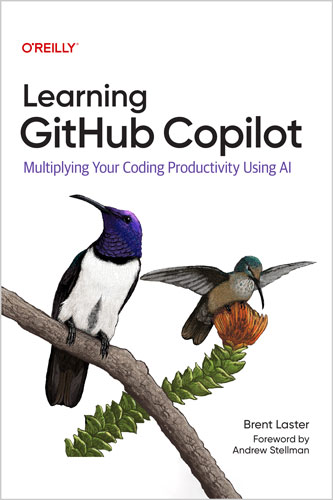
🚀 با GitHub Copilot بهرهوری کدنویسی خودت رو چند برابر کن — با استفاده از Generative AI
🧠 این یک راهنمای کاملاً عملی برای استفاده از GitHub Copilot هست؛ جایی که یاد میگیری چطور با کمک AI سریعتر کد بنویسی، تست تولید کنی، داکیومنت حرفهای بسازی و حتی در مراحل مختلف توسعه نرمافزار، کارهای تکراری رو خودکار کنی.
👨💻 نویسنده برنت لستر قدمبهقدم نشون میده چطور از Generative AI برای بهبود کیفیت کد، افزایش سرعت توسعه و سادهسازی فرآیندهای پیچیده استفاده کنی.
⚙️ حتی فراتر از استفاده معمولی، وارد قابلیتهای پیشرفته مثل Copilot Agent میشی؛ جایی که AI میتونه بهصورت مستقل feature اضافه کنه یا حتی Pull Requestها رو بررسی و تحلیل کنه.
🔥 این کتاب مناسب چه کسانیه؟
👨💻 دولوپرها، تسترها، مهندسان DevOps و همه متخصصان نرمافزار در هر سطحی
🧩 در طول کتاب با این مفاهیم کار میکنی:
⚡ Copilot Edits، Agent Mode و Copilot Vision
🧠 استفاده از AI برای درک کدهای ناشناخته و الگوریتمهای پیچیده بهصورت Real-Time
⌨️ تبدیل Promptهای زبان طبیعی به فانکشن، تست و داکیومنت کامل
🔍 بهینهسازی خروجی AI با Context و Promptهای دقیقتر
🚀 تسریع توسعه فیچرها و Refactor کردن کد داخل IDE با کمک AI
🧩 ساخت Copilot Extension برای گسترش قابلیتهای شخصیسازیشده
📚 فهرست مطالب
فصل 1: مبانی
فصل 2: کدنویسی با Copilot
فصل 3: چت با Copilot در IDE
فصل 4: ویرایش پیشرفته و Workflowهای خودکار در IDE
فصل 5: تستنویسی با Copilot
فصل 6: استفاده از Copilot برای مستندسازی و توضیح کد
فصل 7: بهروز و مرتبط نگه داشتن Copilot
فصل 8: روشهای دیگر استفاده از Copilot
فصل 9: استفاده از Copilot در GitHub
فصل 10: توسعه قابلیتهای Copilot
🧠 نکات مهم از مقدمه کتاب
⚙️ Copilot بهصورت مداوم در حال تغییره؛ UI و قابلیتها ممکنه در هر آپدیت تغییر کنن، پس بعضی توضیحات کتاب ممکنه با نسخههای آینده دقیقاً یکی نباشن.
🧪 بعضی قابلیتها ممکنه در زمان نگارش در حالت Preview / Experimental باشن و بعداً تغییر کنن یا حذف بشن.
💻 تجربهها عمدتاً روی VS Code و GitHub Codespaces نوشته شده، چون بیشترین سازگاری رو دارن.
🍎 مثالها روی سیستم Mac گرفته شده و shortcutها بسته به سیستمعامل ممکنه متفاوت باشن.
👥 مخاطب هدف کتاب
🧑💻 این کتاب برای کسانیه که تجربه کار با IDE و آشنایی پایه با GitHub دارن، اما هدفشون اینه که بهرهوری خودشون رو با AI چند برابر کنن.
📈 شامل افرادی میشه که:
- تازه با AI coding assistantها آشنا شدن
- میخوان قابلیتهای GitHub Copilot رو عمیقتر یاد بگیرن
- در حال ارزیابی Copilot برای استفاده سازمانی هستن
- یا میخوان از قابلیتهای پیشرفته مثل Agent Mode و Extension development استفاده کنن
✍️ درباره نویسنده
👨💼 برنت لستر یک تکنولوژیست و مدرس باتجربه در صنعت نرمافزاره که بهعنوان مربی جهانی فعالیت میکنه.
🏢 او بنیانگذار شرکت Tech Skills Transformations هست؛ مجموعهای که روی ارتقای مهارتهای فنی دولوپرها و آموزش ابزارهای مدرن مثل GitHub Copilot تمرکز داره.
🎯 هدف اصلی او کمک به تیمها و سازمانها برای پذیرش بهتر ابزارهای AI و افزایش بهرهوری در توسعه نرمافزار هست.
Supercharge your coding productivity with generative AI using GitHub Copilot. In this practical guide, author Brent Laster guides you through using generative AI for writing better code faster, generating tests with ease, creating polished documentation at any stage of development, and more. You’ll also explore advanced uses—like leveraging Copilot’s Agent functionality to add features autonomously and reviewing pull requests automatically.
Learning GitHub Copilot is for developers, testers, DevOps engineers, and software professionals at all levels. Alongside the fundamentals, you’ll dive into Copilot Edits, Agent mode, and Copilot Vision. You’ll also learn how to create your own Copilot extensions to expand its capabilities. Whether you’re working in Python, JavaScript, or any other language, this book helps you confidently integrate AI into your development workflow.
- Harness real-time AI insights to explore and understand unfamiliar code and algorithms
- Master inline completions and the chat interface to automate common tasks
- Turn natural language prompts into complete functions, tests, and docs quickly and easily
- Optimize AI results with context and prompts to get targeted solutions
- Streamline feature development and refactors with AI assistance in your IDE
Table of Contents
Chapter 1. Foundations
Chapter 2. Coding with Copilot
Chapter 3. Chatting with Copilot in the IDE
Chapter 4. Advanced Editing and Autonomous Workflows in the IDE
Chapter 5. Testing with Copilot
Chapter 6. Using Copilot to Document and Explain Code
Chapter 7. Keeping Copilot Timely and Relevant
Chapter 8. Other Ways to Leverage Copilot
Chapter 9. Using Copilot in GitHub
Chapter 10. Extending Copilot’s Functionality
From the Preface
One of my goals in writing these chapters is to share the benefits and the challenges of using Copilot, and try to help you avoid surprises. So, before you jump in, here’s a few things to be aware of:
- For the last year or so, GitHub Copilot has changed the appearance and location of at least one dialog or control with nearly every release. I’ve done my best to update screenshots and descriptions as they are at the time of writing. But it’s certain that some will have been moved, changed in appearance, etc. by the time you are reading this.
- Copilot is now releasing new features on a fairly regular basis. So, over time there will be new features that are not represented in the book. Likewise, some functionality in Copilot is noted as being in preview or experimental as of the time of writing. Those may have been moved to production by the time you read this or may have been removed if they didn’t make the cut.
- Copilot runs in many different environments, including multiple IDEs. In each IDE, there can be (and are) differences in integration, appearance, and even functionality. GitHub has historically prioritized Visual Studio Code and the environments that use the same interface (like GitHub Codespaces) to roll out new features and to contain the superset of functionality. For that reason, all screenshots and examples in the book are done with either VS Code or in a Codespace.
- For those of you using non-VS Code IDEs, some features or functions may have not been implemented by GitHub in that environment. Please consult the Copilot and/or IDE documentation for the latest information.
- Similarly, IDEs that integrate with Copilot can usually be run on multiple platforms including Windows, Mac, and Linux. Since it’s not practical to cover all the variations in the book, the examples were done on a Mac. So the windows and controls shown may reflect the Mac style. Also keyboard shortcuts will differ among the platforms. To avoid having to list all keyboard shortcuts each time we reference them, we’ve adopted Meta as a notation that means to insert the appropriate shortcut for your platform.
All of these things apply across the entire structure of the book, which was written to take you from the What is it basics to the advanced Here’s how you go beyond the core functionality. Most of the chapters can be read standalone, and you should feel free to skip between chapters as your needs and comfort level dictate.
Intended Audience
This book is for anyone who is trying to learn more about using AI assistants for developing software. Yes, it’s specifically about GitHub Copilot, but many of the examples and flows have parallels in other AI coding tools and environments. To get the most out of this book, you should already have experience coding in an IDE and have a basic knowledge of GitHub. To be clear, this book is not going to teach you how to code, how to use an IDE, or how to use GitHub. But it will help you multiply your productivity in all of those areas through using Copilot. Whether you are a software developer, quality engineer, SRE, or someone who is just looking to understand how an AI assistant like Copilot can benefit them, I believe you’ll find meaningful information and insights.
Here are some audiences that I had in mind while writing the book and that I think can benefit from it:
- Those who are new (or newish) to AI coding assistants and looking to understand what they are all about and how to best make use of them
- Those who already understand the concepts and flow of using AI coding assistants and want to understand what GitHub Copilot has to offer
- Those who want to understand and evaluate GitHub Copilot as a possible tool to use on a wider scale in their organization or business
- Those who already have some experience with GitHub Copilot and want to take full advantage of its features and functionality
- Those who are looking to understand how to compensate for some of GitHub Copilot’s shortcomings
- Those who want to understand the new features of Copilot, such as Agent mode
- Those who want to create their own GitHub Copilot extensions
- Those who work with GitHub and want to take advantage of the Copilot integration there
If one of these fits your use case, I hope the book will provide you with the value you’re looking for. If you read it and have the opportunity, feedback is always welcome through reviews or interactions at future conferences or training venues. Info about how to ride the wave of Generative AI in coding begins in Chapter 1. Happy surfing!
About the Author
Brent Laster is an experienced industry technologist and leader. He’s a global trainer, author, and the founder of Tech Skills Transformations, a company dedicated to helping people take their technical skills to new levels. Brent creates and conducts training courses on GitHub Copilot as well as helping organizations with adoption.





نقد و بررسیها
هنوز بررسیای ثبت نشده است.